Free · open source · GPL-3.0
IntelyIDE
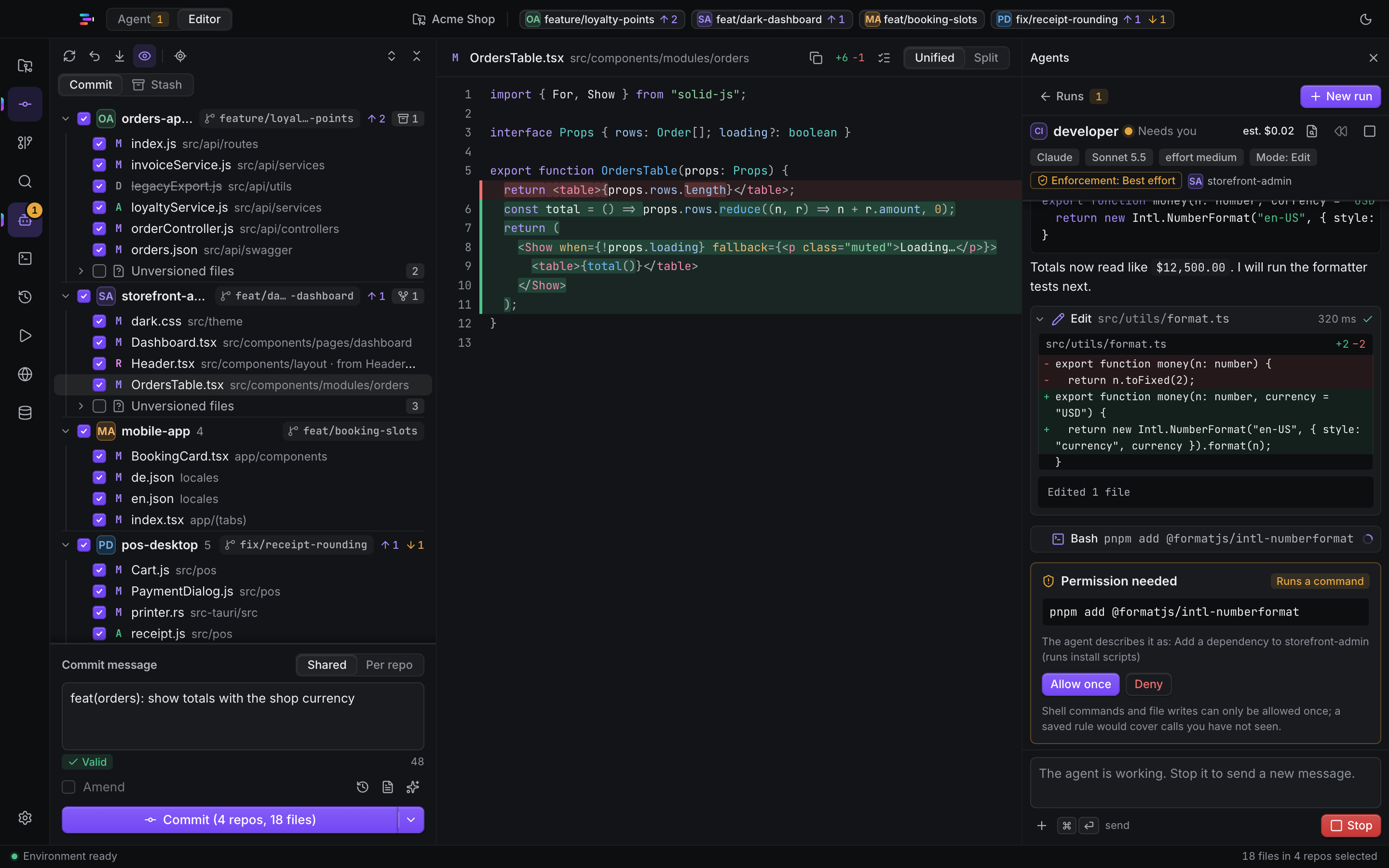
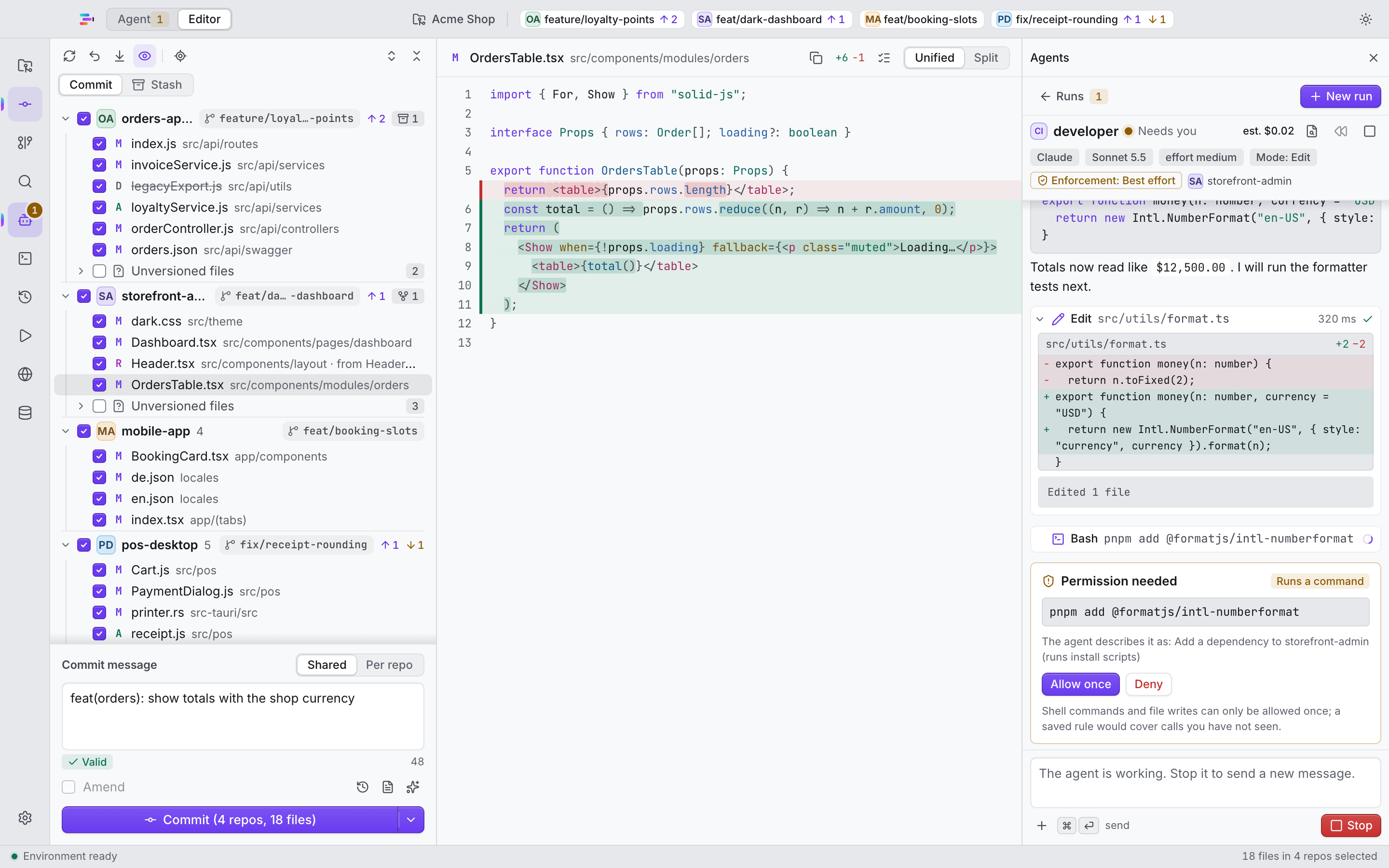
A fast multi-repo desktop IDE. One Changes tree across all your repositories, AI agents that can edit but never commit or push, and a Rewind snapshot for every run.
Mac software · open where it matters
IntelyHome builds the Mac tools we want on our own machines: an IDE that keeps AI agents on a leash, and an optimizer that treats Intel Macs as first-class. Local-first, honest about what they do, signed and notarized.
Both are native Mac apps with the same promises: they tell you what they will do, they ask before they change anything that matters, and they can be undone.
Free · open source · GPL-3.0
A fast multi-repo desktop IDE. One Changes tree across all your repositories, AI agents that can edit but never commit or push, and a Rewind snapshot for every run.
14-day free trial · from $19.99 / year
A native optimizer built for Intel Macs. Clean up, tune, cool down and monitor your Mac, with every change explained and reversible. Free tools stay free.

Principles we hold ourselves to, in plain words.
We build these tools for our own daily work first. If a feature does not earn its place on our machines, it does not ship.
Your files and your work stay on your Mac. Anything that leaves it is opt-in, explained first and kept to the minimum.
Builds are signed with a Developer ID and notarized by Apple. IntelyOpti’s updates are cryptographically signed and come from GitHub; IntelyIDE checks GitHub for new versions. Release notes say what changed.
The IDE you trust with your code is GPL-3.0 and readable by anyone. IntelyOpti is proprietary, and says so.
IntelyIDE runs natively on Intel and IntelyOpti is built for Intel Macs, with care guides and checks that only matter on that hardware.
The trial is explained up front, needs nothing to cancel and undoes the settings it changed. No fake urgency, no invented numbers.
A look at what each product does. The product pages go deeper.
Every repository’s changes in one grouped tree. Review, commit and push across all of them.
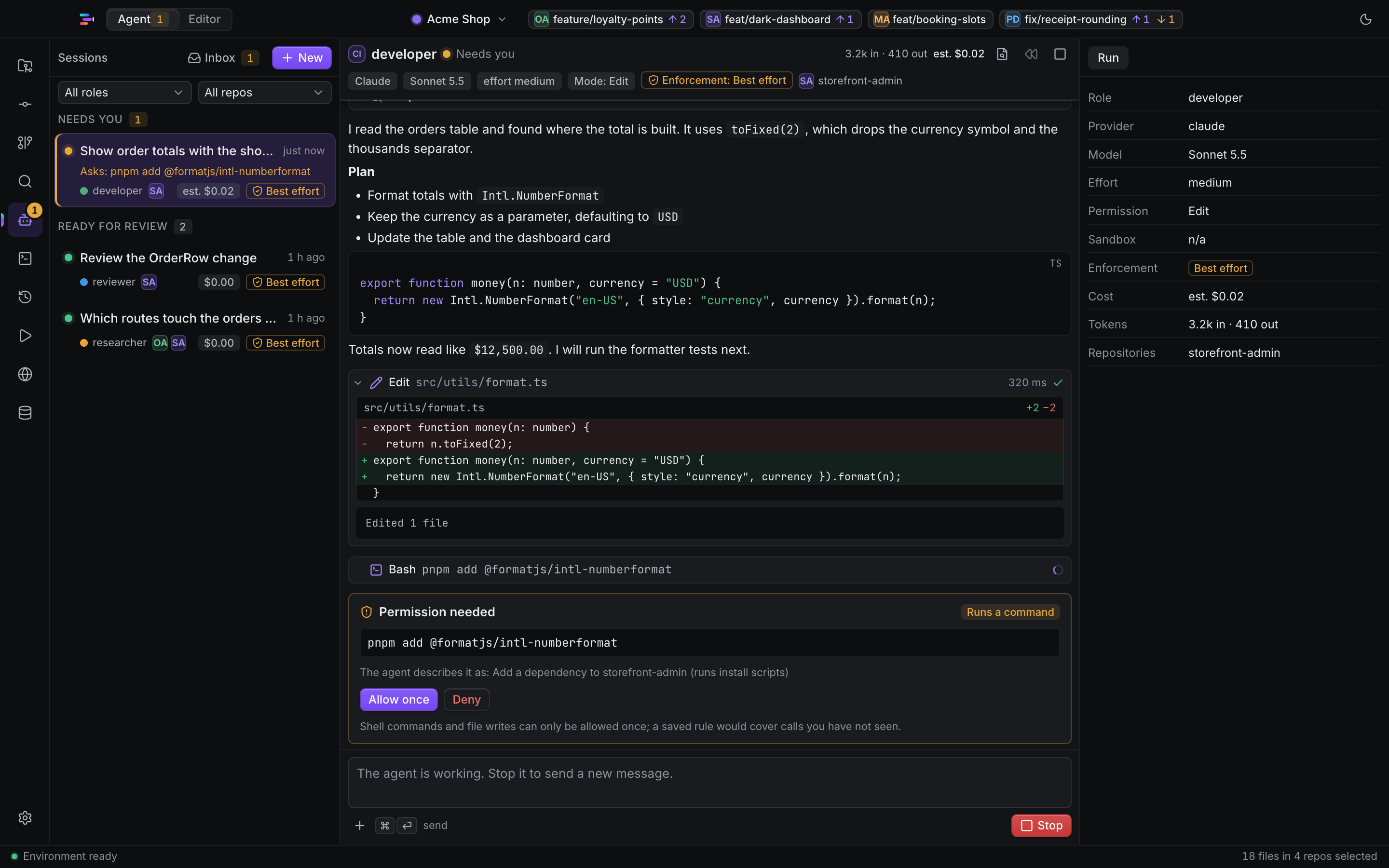
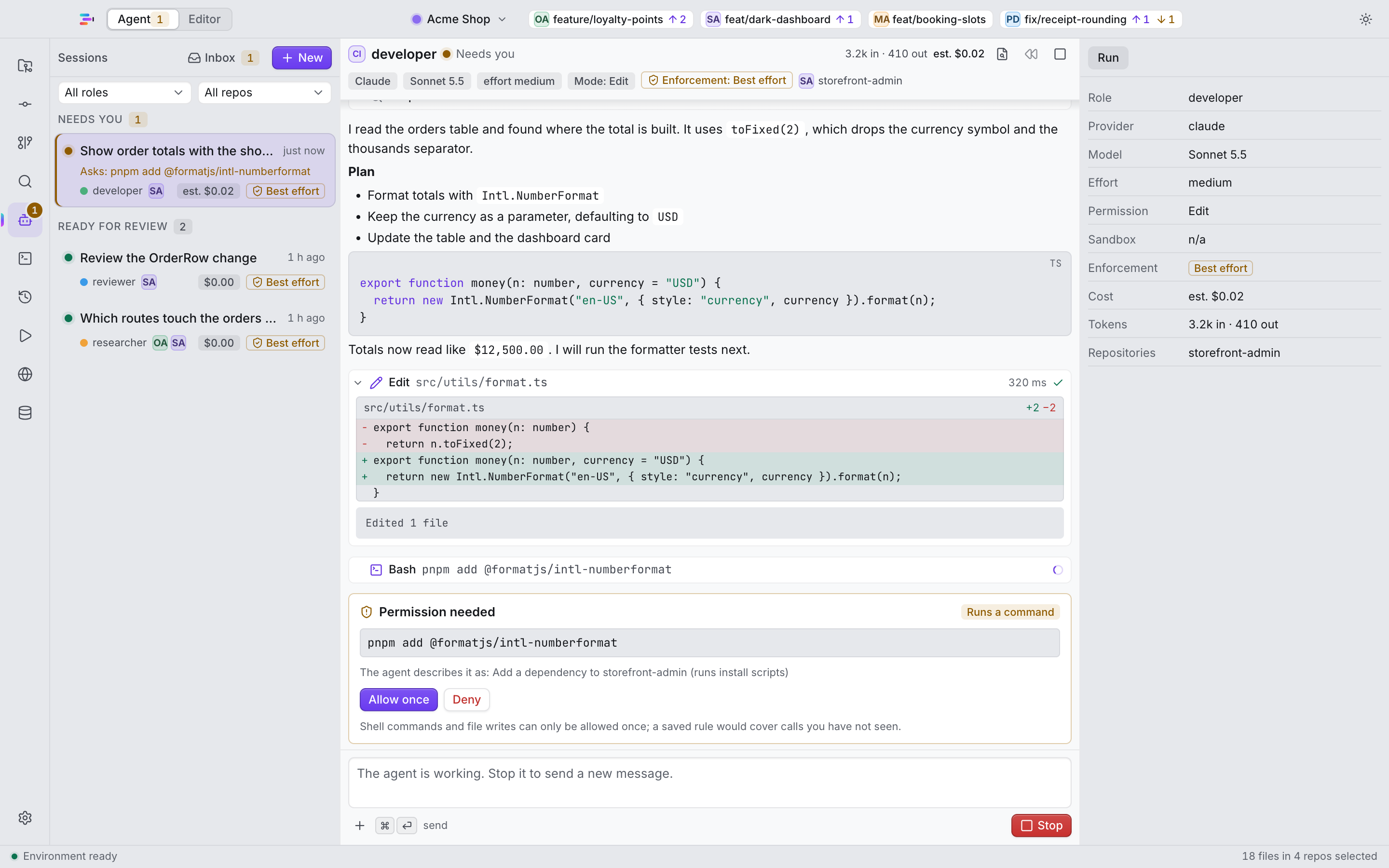
Agents can edit but never commit or push. Permission policy, hard stops and a git shim enforce it.
Every agent run starts with a snapshot. One click takes the whole run back.
Read-only by default, with AI-assisted queries in English or Hungarian.
Spot drift between your backend’s Swagger and its client repositories.
Watch teammates’ agent runs, chat in a run, see each other’s commits and share Claude memory, end-to-end encrypted through your own relay.
Approve or answer an agent from your phone, through a relay you run yourself.
Add a server by its ssh target and run agents there from the same window.
Happy, MCP servers, Sentry and DeepPattern in one catalog, with a connection status where there is one.
A health score for your Mac and a one-click optimize that explains what it will do.
Caches, logs, developer leftovers and installers, with safe atomic deletes and a treemap of your disk.
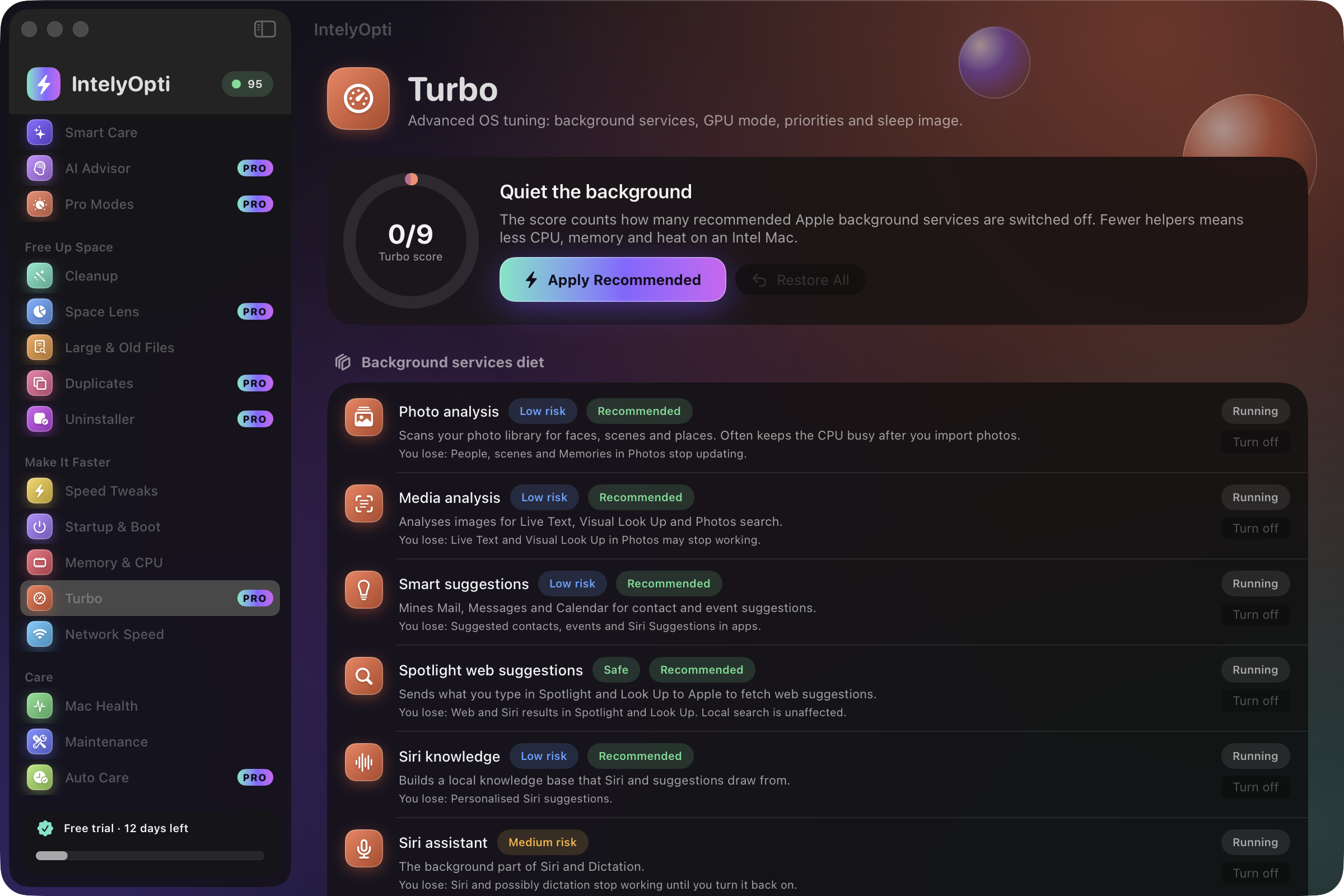
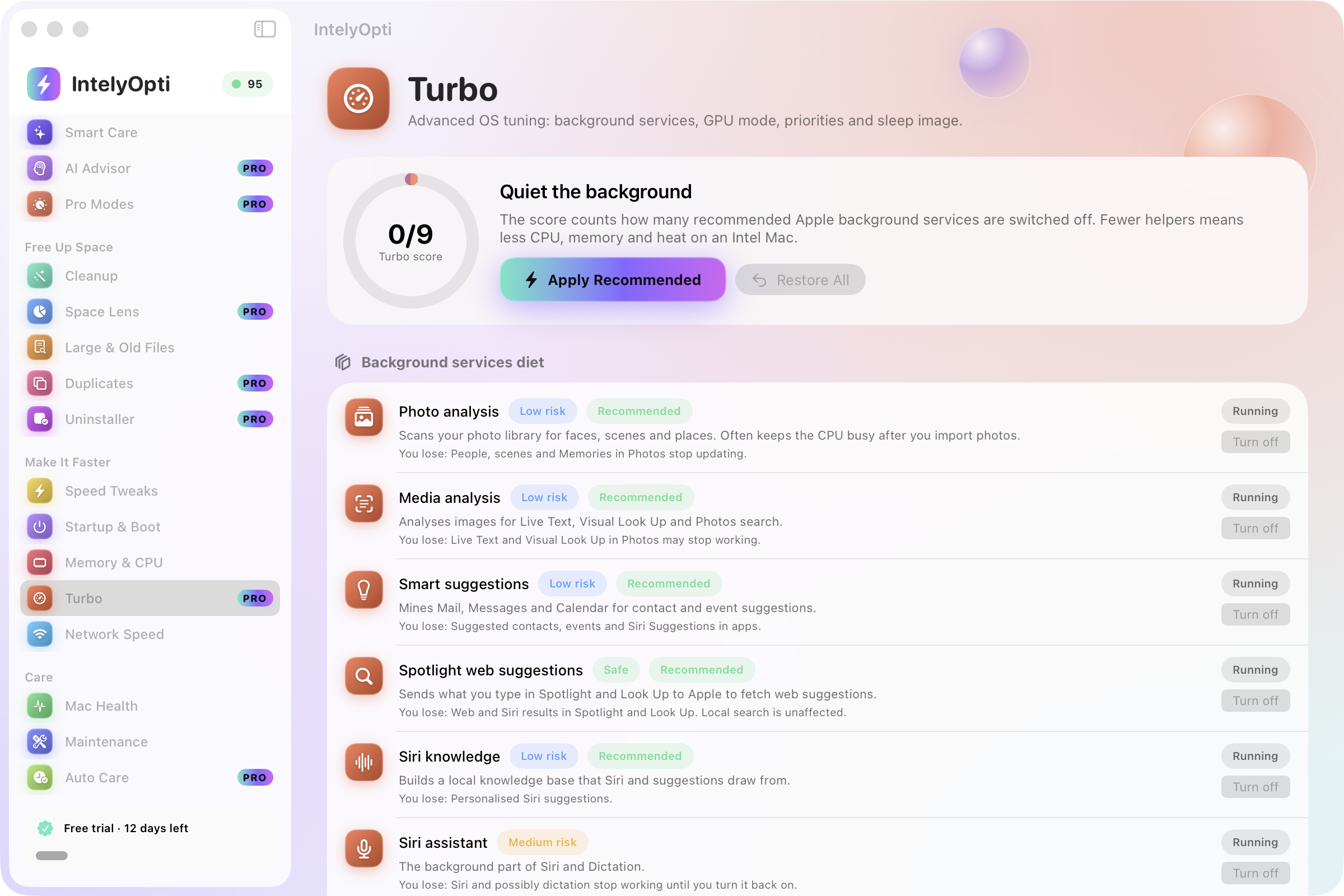
Trim Apple background services, set process priority, pick the GPU on dual-GPU MacBook Pros.
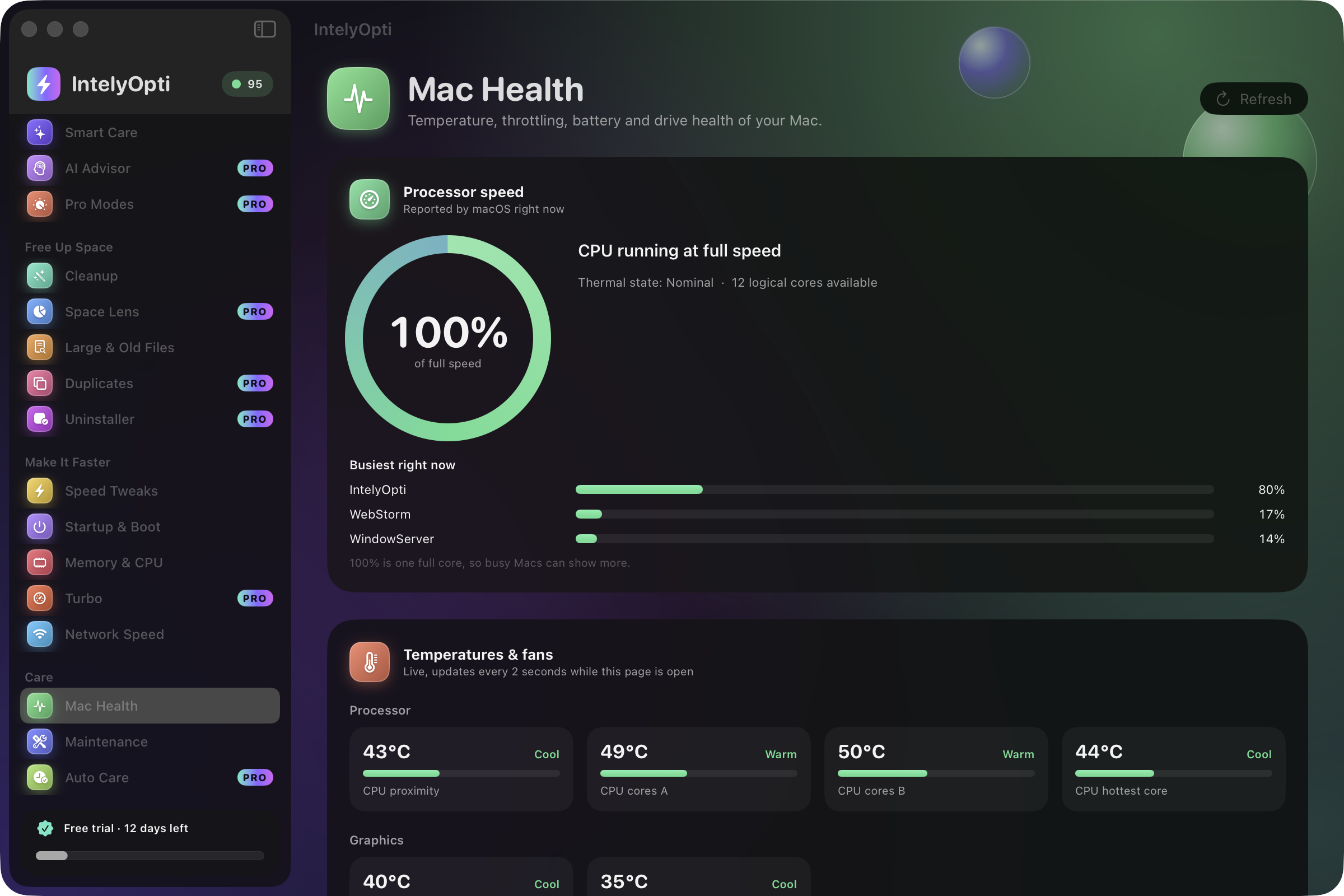
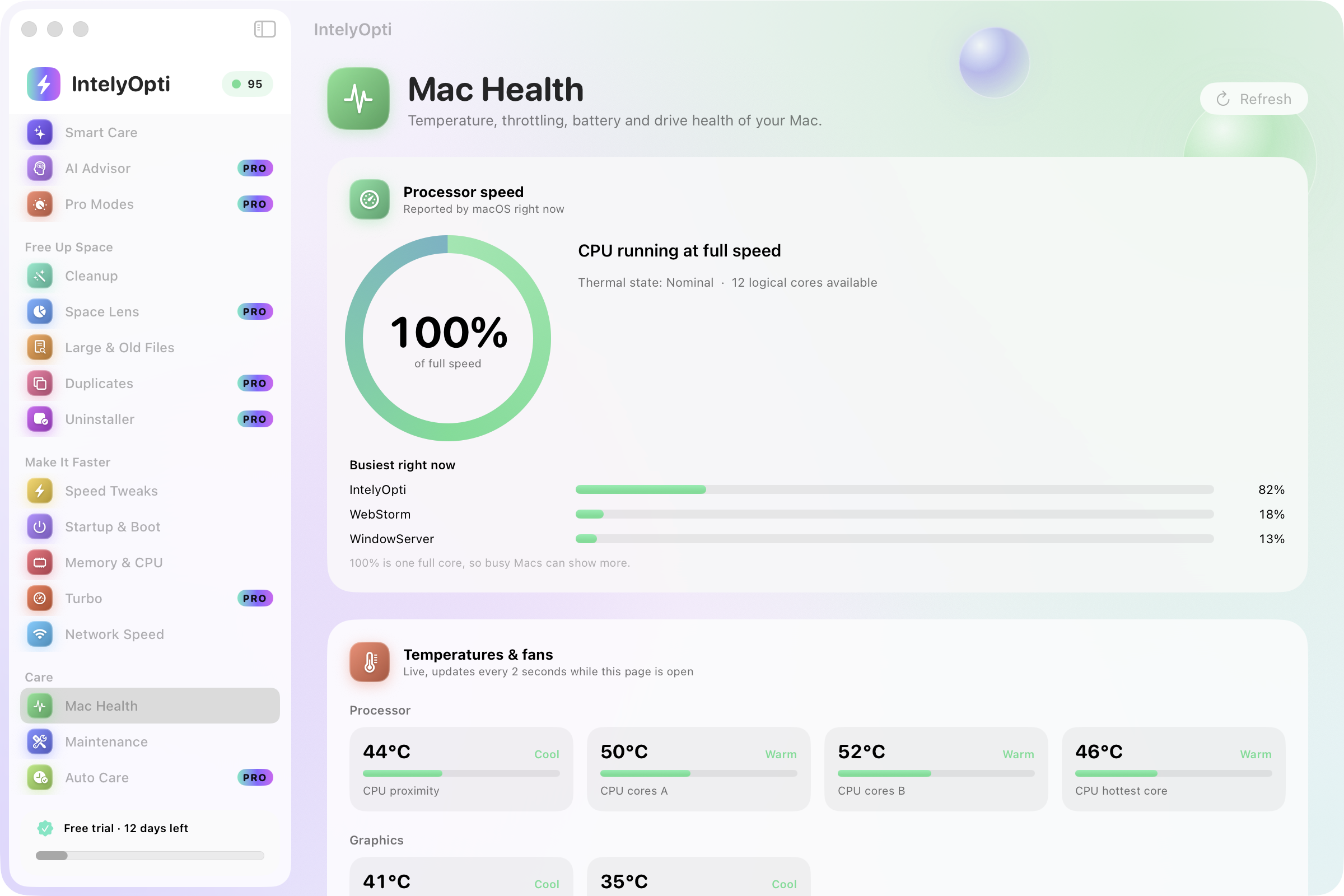
Thermal-throttling detector, temperatures, fan RPM, battery health and SSD checks.
Download, upload and responsiveness through Apple’s own test, plus Wi-Fi, latency and a DNS benchmark.
Max Speed, Cool Down, Focus and Battery Saver: reversible one-click profiles.
Uses AI tools you already have to analyze a redacted snapshot. Nothing is sent until you press Share.
Scheduled safe cleaning and guardian alerts, so the Mac stays tidy without you.
The small things that tell you how a product was made.
Developer ID signed and notarized by Apple. Both apps open without a warning.
IntelyOpti installs an update only if its signature verifies, so a changed file is rejected. IntelyIDE tells you about new versions straight from GitHub.
This site loads no analytics until you accept. IntelyIDE has no analytics at all.
Both apps and this site follow your system theme, and you can switch by hand.
This site is hand-written in both. IntelyIDE ships 53 interface languages.
Built for the Intel Macs that many tools quietly stopped caring about.
IntelyIDE is GPL-3.0-or-later. Read it, build it, fork it.
Plain git repositories, plain files, standard tools. You can walk away any time.
A command palette in IntelyIDE, and a site you can drive with the keyboard alone.
Rewind in the IDE, automatic revert in IntelyOpti: changes can be taken back.
Every screenshot shows the light and the dark theme side by side, split by a diagonal. The switch changes the theme of this whole site.

IntelyIDE is one universal build for Intel and Apple Silicon Macs (macOS 13.5 or later). IntelyOpti is built for Intel Macs and needs macOS 26 or later.
IntelyIDE is free and open source. IntelyOpti has a free tier that stays free, a 14-day free trial of everything, then $19.99 per year or $39.99 lifetime, per Mac.
IntelyIDE has no analytics and checks GitHub once a day for a newer version. IntelyOpti asks for an e-mail address to start its trial, and its AI Advisor sends nothing until you press Share.
IntelyHome is Ferenc Farkas, a developer. Questions and bug reports go to GitHub Issues and Discussions.
IntelyHome is the home of Ferenc Farkas’ software. The tools here exist because they were missing from the author’s own desk. The details are written down on the product, privacy and terms pages.
IntelyIDE is free forever. IntelyOpti is free for 14 days, and its free tools stay free after that.